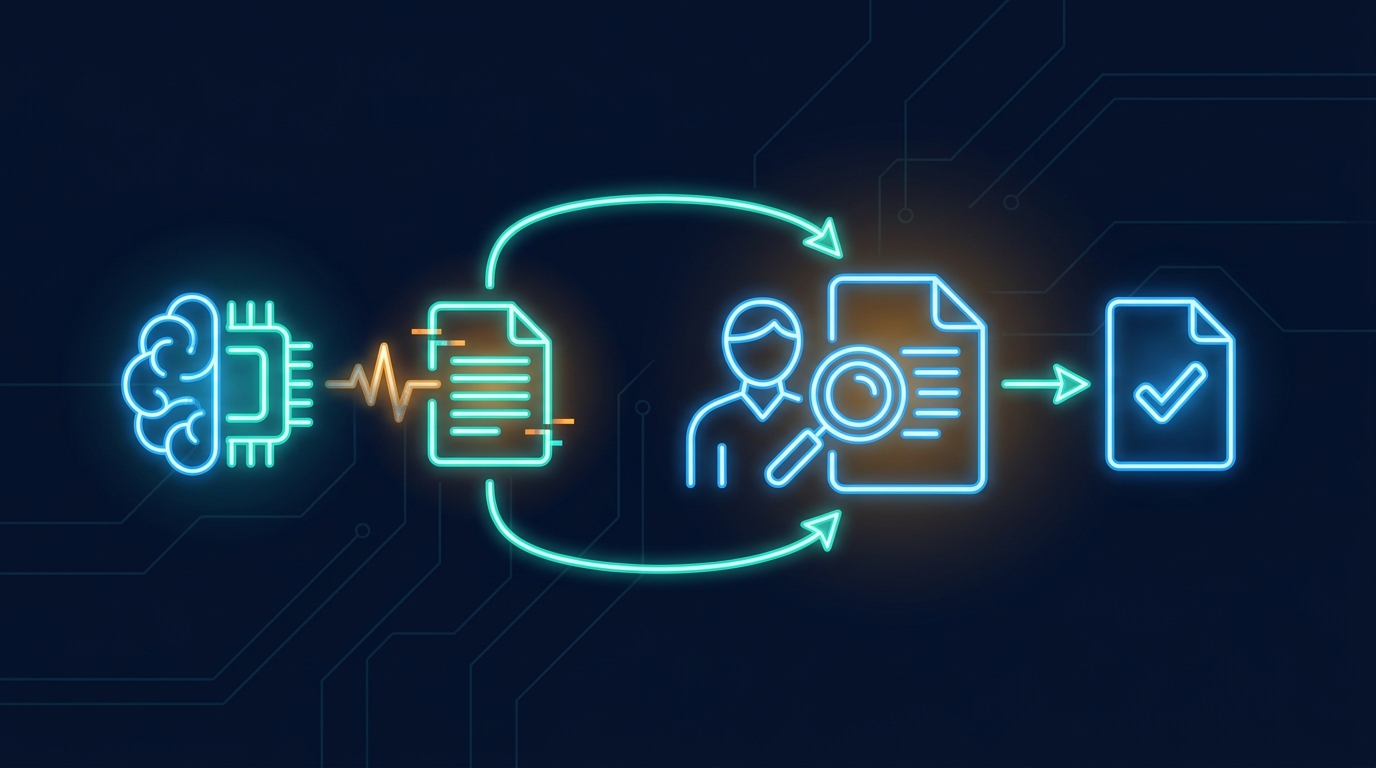
AI prompt injection is not only an input problem. It becomes harder when the output is reused as a source.
That is the practical lesson from a public Copilot for Word disclosure published on July 28. The researcher described a document-borne attack where hidden instructions in one externally sourced file could affect a Copilot-generated document, then copy the hidden instruction into the new document too.1 The new document looks like normal internal work. Later, someone else can attach it to another AI-assisted workflow, and the attack can continue.
For a B2B SaaS team adding AI to document-heavy workflows, that changes the security question. It is not enough to ask whether the model can spot a bad instruction. The product has to decide which sources can enter the task, which outputs become trusted, and who reviews the write before it becomes source material for the next task.
Key Takeaways
- A July 28 Copilot for Word disclosure showed hidden document instructions propagating into new generated documents.1
- Source review matters because generated outputs often become the next workflow's inputs.
- Product teams should narrow context, constrain actions, and keep approval trails before AI writes into trusted systems.
Why does AI prompt injection get worse in document workflows? #
AI prompt injection gets worse in document workflows because documents move from outside evidence to inside authority.
An employee might start with an external market report, a vendor PDF, a customer spreadsheet, or a shared policy draft. The assistant reads it because the user asked for help writing something new. If the external file contains hidden instructions, the model has to process those tokens while deciding what the document means.
The Copilot disclosure describes the next step. The generated document can carry the hidden instruction forward. That matters because the second document may be internal, polished, and trusted by default. The attack no longer depends on the original external file being present. It can ride through normal reuse.
That is a different failure mode from a bad chatbot answer. The risky artifact is not just the answer on screen. It is the new work object that other people may later treat as source material.
Why is model-only detection a weak control? #
Model-only detection is weak because the model must read the untrusted content before it can decide whether the content is safe.
The researcher puts the problem plainly: the content being inspected participates in the act of inspection.1 A stronger filter can reduce some attacks, but it does not remove the product design problem. If the assistant is allowed to read anything, write anywhere, and promote its own output into the next trusted source, the model is carrying too much responsibility.
A separate benchmark published the same week points at the same operational weakness from another angle. HANDBOOK.md tested agents following long company policies across routine office tasks. Under strict grading, the best evaluated configuration passed 36.2% of trials.2 The failures included agents performing a required check and then acting against the result, or letting a plausible in-environment request override the standing policy.
That does not mean agents are useless. It means a policy file in context is not the same thing as a product control.
What should a SaaS product control first? #
A SaaS product should control the source list before it controls the prompt wording.
For document-heavy AI features, the source list is the boundary. Which documents can be attached? Can externally sourced files be mixed with internal records? Can a generated document be used as source material without review? Can hidden text, comments, metadata, and prior assistant output enter the same context as current instructions?
Those questions belong in the product flow, not in a safety paragraph below the chat box.
A practical design is to separate source types. Customer-uploaded evidence, internal policy, system records, and generated drafts should not all enter the same task with the same trust level. If a generated draft will later become source material, the product should record that fact and require a review step before other workflows treat it as approved.
The important move is boring. Make the product remember where the material came from.
How should AI writes be bounded? #
AI writes should be bounded by the smallest useful action.
A broad assistant can promise speed, but it also creates a broad blast radius. A focused app can do less, which is usually the point. It can draft a renewal summary from approved account notes. It can classify a support ticket against a known taxonomy. It can prepare a customer-specific demo view using allowed API fields. Each task has a narrower source set and a narrower write path.
That is the shape we prefer when building AI inside B2B SaaS products. The app inherits the host product's users, roles, tenant boundary, and approved APIs. The model does not need every document and every tool to be useful. It needs the few sources that explain this workflow and the few actions the user is allowed to take.
Narrow writes also make review practical. A human can approve a generated report section or a proposed dashboard before it is shared. They cannot realistically audit a general assistant's entire hidden reasoning path after it touched twenty sources.
What should approval trails capture? #
Approval trails should capture enough context to explain why a generated output became trusted.
At minimum, the product should log the source documents, the user, the model output, the edits, the approver, and the final destination. If the output later becomes source material for another AI run, that relationship should be visible.
This is not only for incident response. It helps product teams improve the workflow. If reviewers keep removing the same source, that source probably should not be auto-attached. If they keep editing the same field, the app needs a better prompt, a better data mapping, or a smaller action.
The same trail also helps separate model mistakes from source problems. A model may produce a bad answer because the source was outdated, because the wrong record was attached, or because the task had too much context. Without a trail, every failure looks like "the AI was wrong."
What does this mean for product teams shipping AI features? #
It means the safest AI features often look less general than the demo everyone wants to show.
A general workspace assistant is exciting because it appears to know everything. In a trusted B2B product, that same breadth is the risk. The assistant sees too many sources, carries too many policies, and can make too many kinds of writes.
Start with the workflow. Decide which sources are allowed. Decide which output can become trusted. Decide who approves the write. Then choose the model.
Gigacatalyst exists for this kind of bounded product AI. We help SaaS teams build AI apps inside their own product boundary, using their APIs and permissions, so the useful work happens without turning every document and every tool into one giant context window.
The Copilot disclosure is a useful warning because it happened in an ordinary office workflow. A document came in. A draft went out. The draft became the next source. That is how knowledge work already moves.
AI products need to treat that movement as the security boundary.
Want bounded AI apps inside your SaaS product?
Gigacatalyst helps B2B SaaS teams ship governed AI workflows that use approved sources, narrow permissions, and review trails.
FAQ #
Sources #
Footnotes #
-
En Klype Salt. "Context Collapse, Part 3 - AI Worming through Word." https://enklypesalt.com/posts/context-collapse-part3-ai-worming-through-word/. 2026. ↩ ↩2 ↩3
-
Panavas, Liudas, Sebastian Minus, Bradley Monton, Derek Ray, Suhaas Garre, Sushant Mehta, and Edwin Chen. "HANDBOOK.md: A Benchmark for Long-Context Agentic Instruction Following." arXiv. https://arxiv.org/abs/2607.25398. 2026. ↩